Radios at the sites. Console at the desk.
The gateways
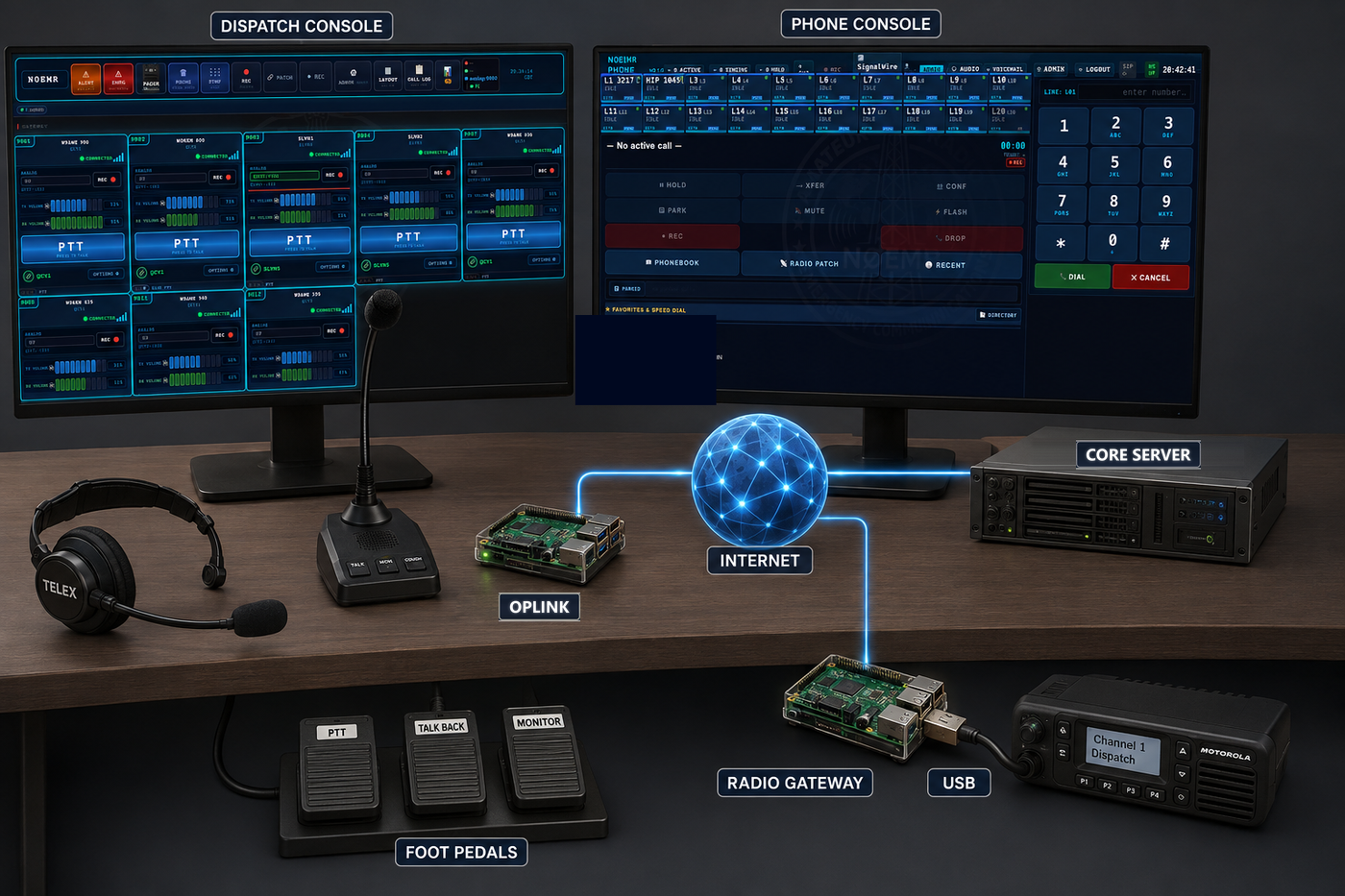
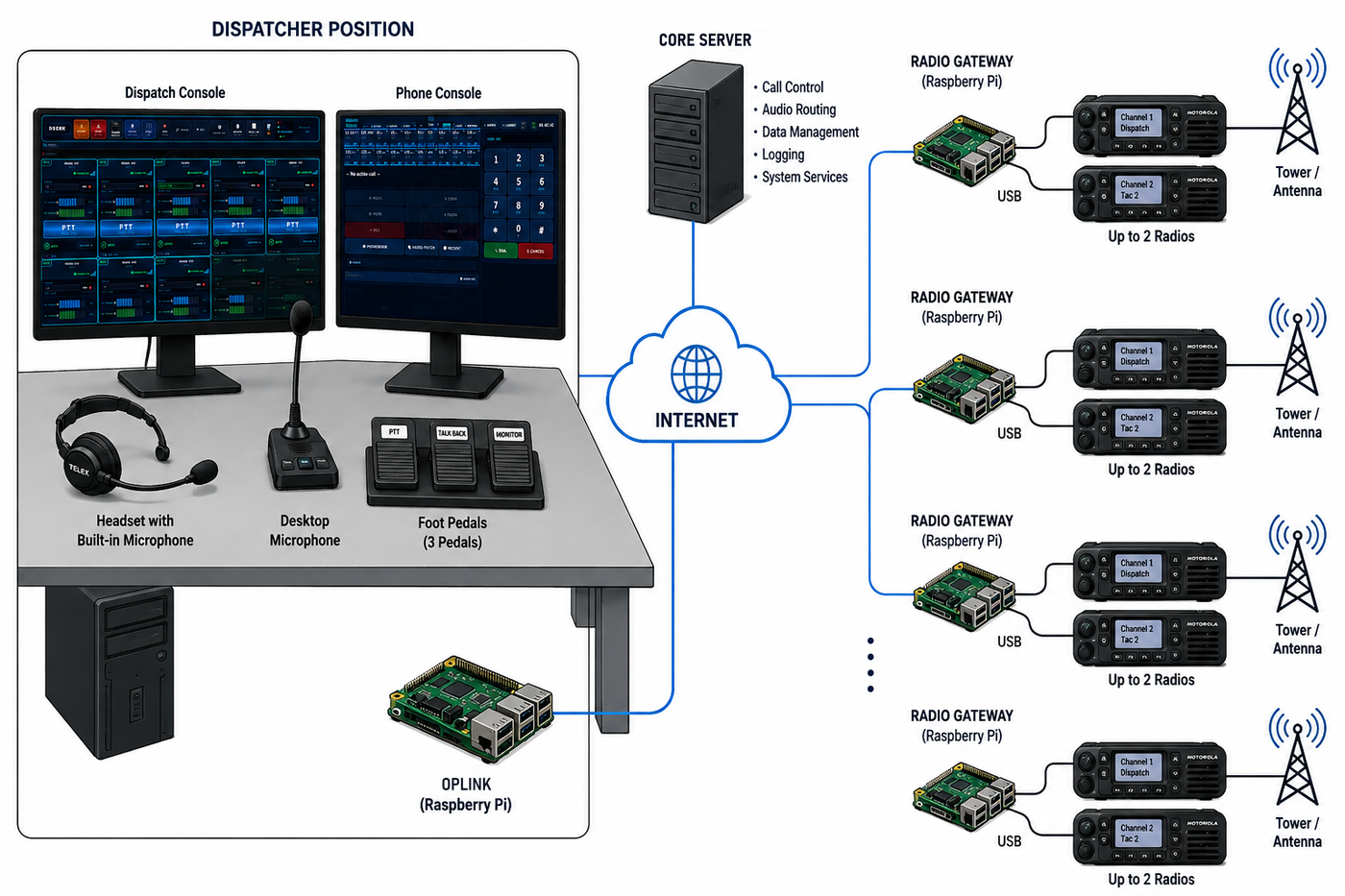
A gateway is a small single-board computer with a radio interface, connected to a real radio at a real site — a friend's tower, a repeater building, the far side of town. It keys and unkeys the radio, carries the audio both ways, and reports its own health back to CORE.
Because the gateway talks to CORE over the network, coverage becomes a question of where you can put a radio and get internet, rather than how tall a tower you can put in your own yard. Add a site, and it appears on the console as another channel.
The radio interface
Between the gateway computer and the radio sits a small USB interface that carries the audio both ways and keys the radio — no sound card to add, no PTT to wire by hand. Two are supported, depending on the radio and how permanent the site is.
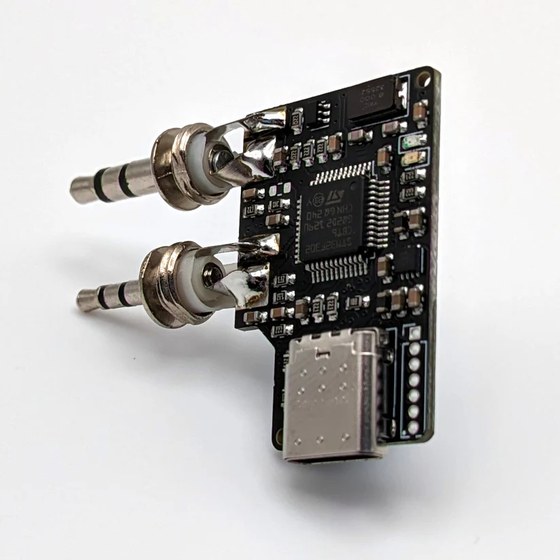
AIOC — All‑In‑One‑Cable. A USB‑C adapter about the size of a keyfob that plugs straight into a handheld's Kenwood 2‑pin jacks (Baofeng, Quansheng and similar). It shows up to the gateway as a USB sound card and a serial PTT/programming port in one — no separate audio interface, no hand‑wired PTT. Pre‑flashed and plug‑and‑play on Linux, it's the quick, low‑cost way to put an inexpensive HT on a Raspberry Pi gateway.
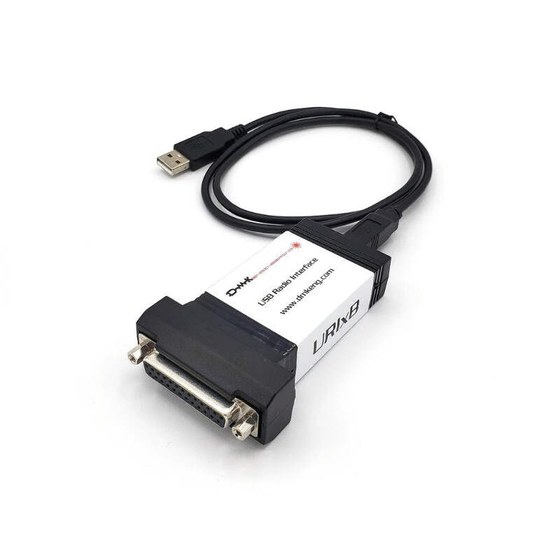
URIx B — USB radio interface. A boxed interface (DMK Engineering) with a DB‑25 connector, built for a permanent, AllStarLink‑style install. It gives the gateway isolated receive and transmit audio plus proper COS and PTT control, wiring to a mobile or base radio's accessory port — the sturdier choice for a fixed site or a rack.
CORE — the server in the middle
CORE — the Central Operations & Routing Engine — is the server that ties the system together. Every radio gateway, every digital network, every phone line and every operator position connects to CORE, and CORE decides where the audio goes.
It holds the connections to the digital networks — DMR talkgroups, D‑STAR and Fusion reflectors, EchoLink nodes, AllStarLink and IAX nodes — and it terminates the links to your gateways. It mixes and routes the audio, tracks who is transmitting where, and serves the console to any browser you point at it.
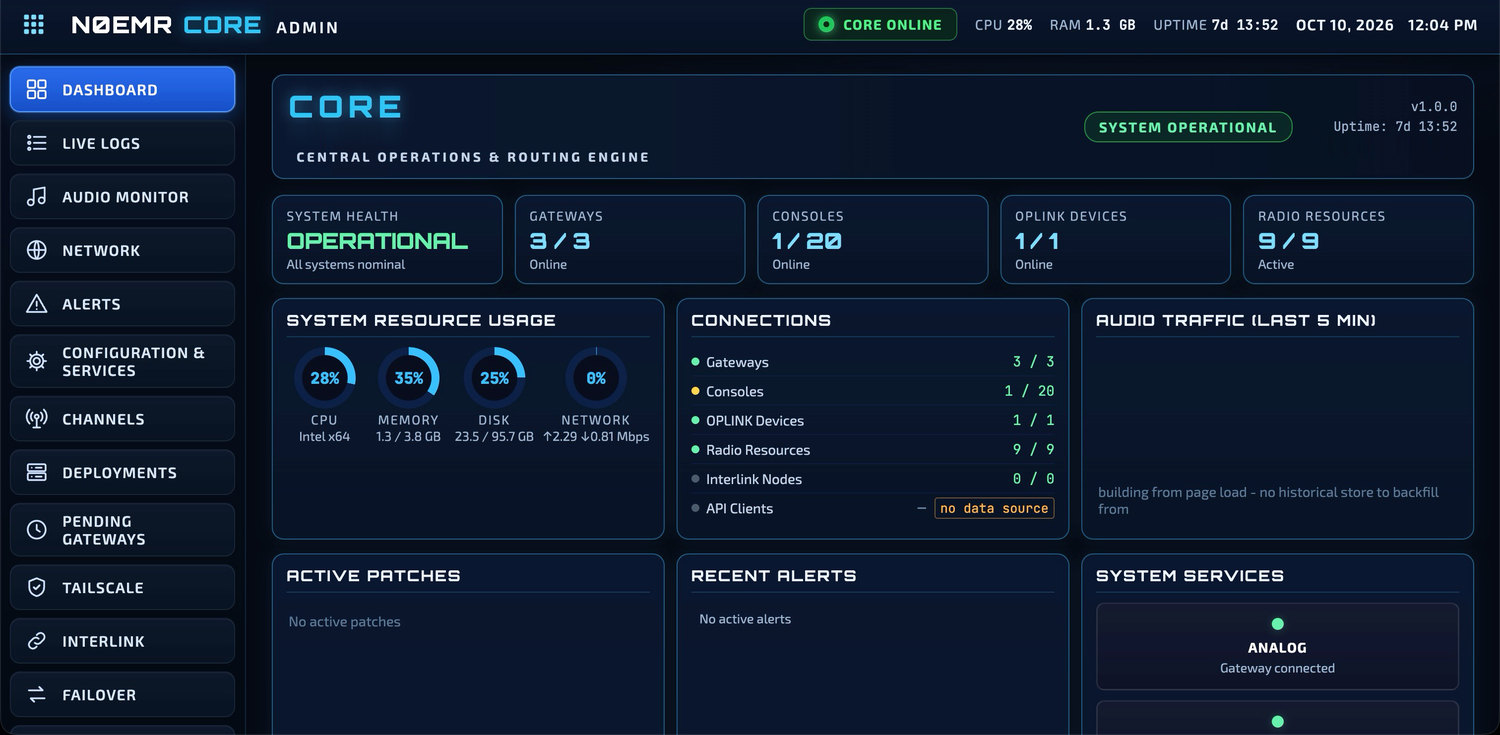
Analog radio gateways, DMR, D‑STAR, Fusion, AllStarLink, EchoLink, IAX and phone lines all meet at CORE and reach the console as cards that work the same way.
Tie two channels together — radio to radio, mode to mode, or a phone call to a radio. The patch runs on CORE. See Patching below.
Record a channel on demand and play it back later. CORE also keeps the call log — who transmitted, on what, and when.
Each operator position's OPLINK connects to CORE, which tracks whether it is online and healthy.
A new gateway reports in and waits under Pending Gateways until an administrator approves it. Nothing joins your system on its own.
CORE holds your system licence. The radio and phone services run while the licence is valid.
CORE downloads signed updates for itself, the gateways and the OPLINKs. Gateways and OPLINKs install only what you approve, inside the time window you set, and CORE checks its own health after an update and can roll it back.
The admin interface
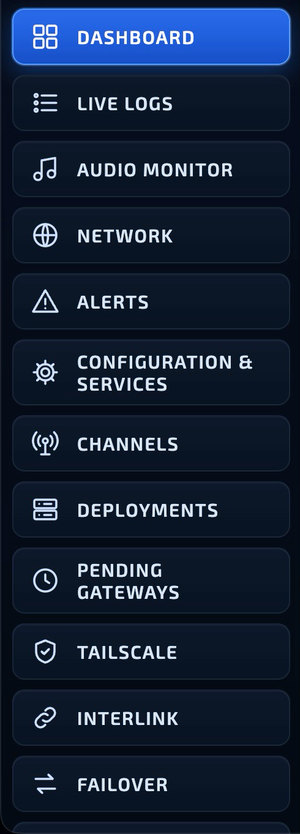
CORE has its own administrator interface, separate from the dispatch console, so the people running the system and the people working the radios each get the screen they need.
From its menu an administrator follows the live logs, watches the audio paths on the audio monitor, checks the network, sets alert rules, sees and restarts services, manages channels and gateway deployments, approves new gateways, and manages operator accounts.
It runs on your own hardware, on your own network. Nothing about the audio path depends on somebody else's cloud.
Patching
A patch ties two channels together so that what is heard on one goes out on the other. Bridge a local repeater to a talkgroup for an event, put a phone caller through to a radio channel, then take it back down when you're done.
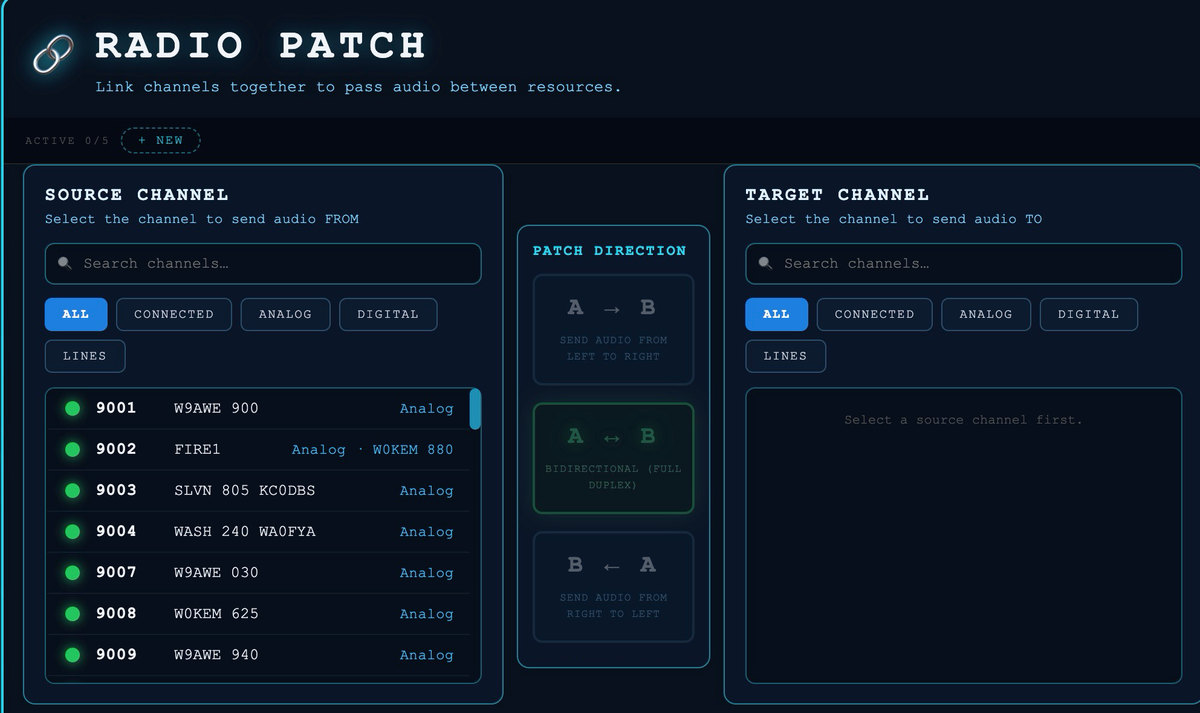
Pick the source channel
Search by name or number, or filter the list to All, Connected, Analog, Digital or phone Lines. Any kind of channel can be patched — an analog gateway radio, a DMR talkgroup, a D‑STAR or Fusion reflector, an AllStarLink or EchoLink node, or a phone line on a call.
Pick the target channel
CORE checks every pairing. A channel the source can't be patched to is greyed out with the reason, and the pair is checked again before the patch goes live.
Choose the direction
A → B sends audio from the source to the target only. B ← A sends it the other way. A ↔ B passes audio both ways, full duplex.
Label it and start
Give the patch a label such as “Incident 42”, or keep the one made from the two channel numbers, and press Start Patch.
Up to five patches can run at the same time, and each one shows on the patch window's rail until someone takes it down. Patches run on CORE itself, not in anyone's browser.
Coming in beta 1.0
One installer, home or cloud. The beta 1.0 release puts CORE on a single installer: write it to a USB stick, boot a spare PC, and CORE installs itself. The same installer sets CORE up on a cloud server instead. On first boot a setup page asks for the CORE's name, the licence, an admin password, the time zone and the network.
Remote support you switch on. Beta 1.0 also adds remote support controlled by the owner — off by default, switched on only when you ask for help, time‑limited, and ended when you switch it off or restart CORE.
The console
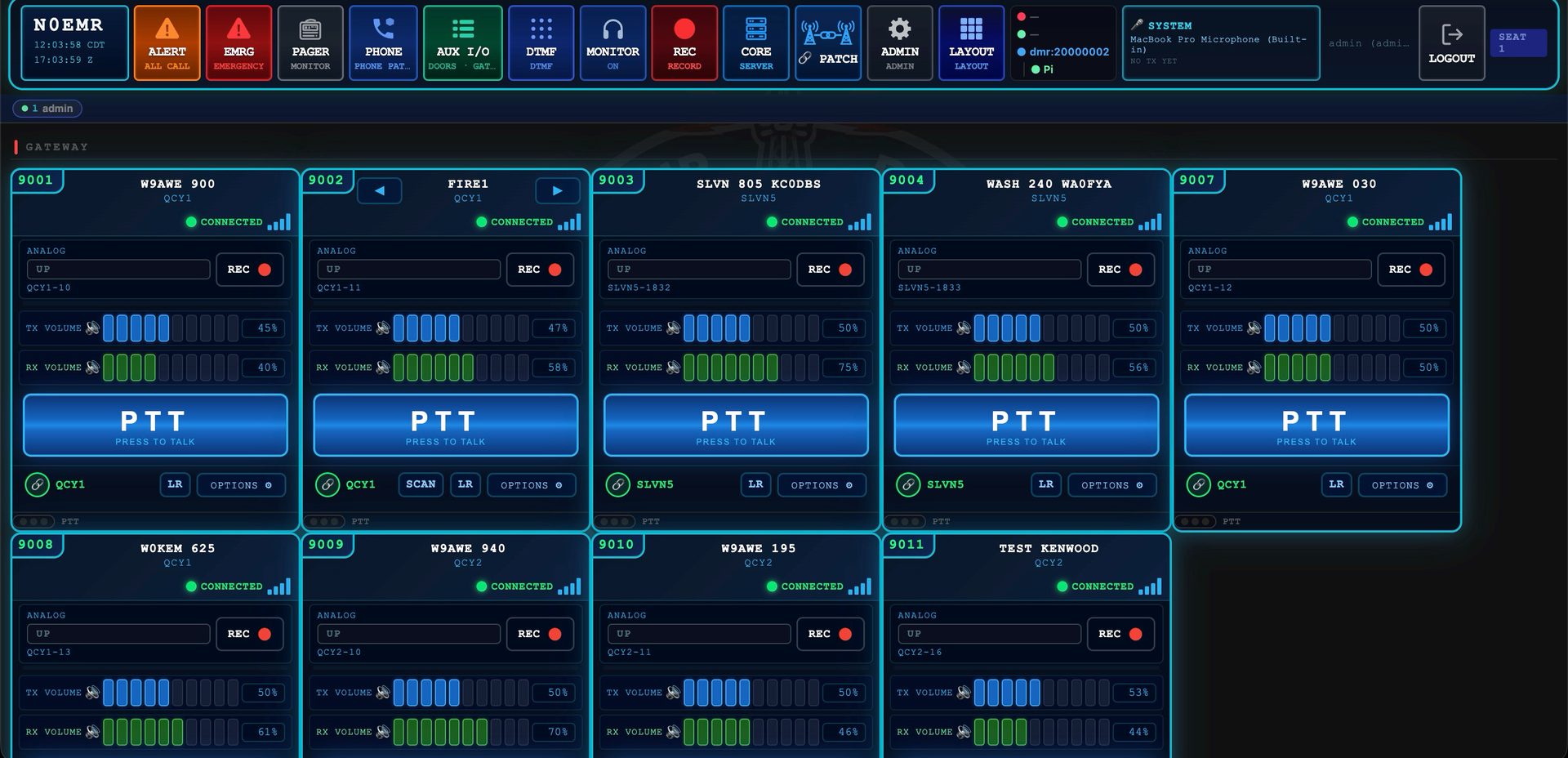
The console is a web application. Every channel you have configured — talkgroup, reflector, node, repeater, gateway radio — is a card on the screen, and every card behaves the same way regardless of what mode is behind it. Receiving lights up green. Transmitting lights up red. You press to talk on the one you mean.
OPLINK
The desk has a gateway of its own — OPLINK, the Dispatch Operator Peripheral Gateway — separate from CORE on your network. It gives the console its own dedicated set of audio and control devices — headset, speaker, microphone, foot pedals and push‑to‑talk buttons — kept apart from whatever sound devices the computer itself is using. The console's audio doesn't fight with the rest of the machine, and a headset paired to the position stays the console's headset.
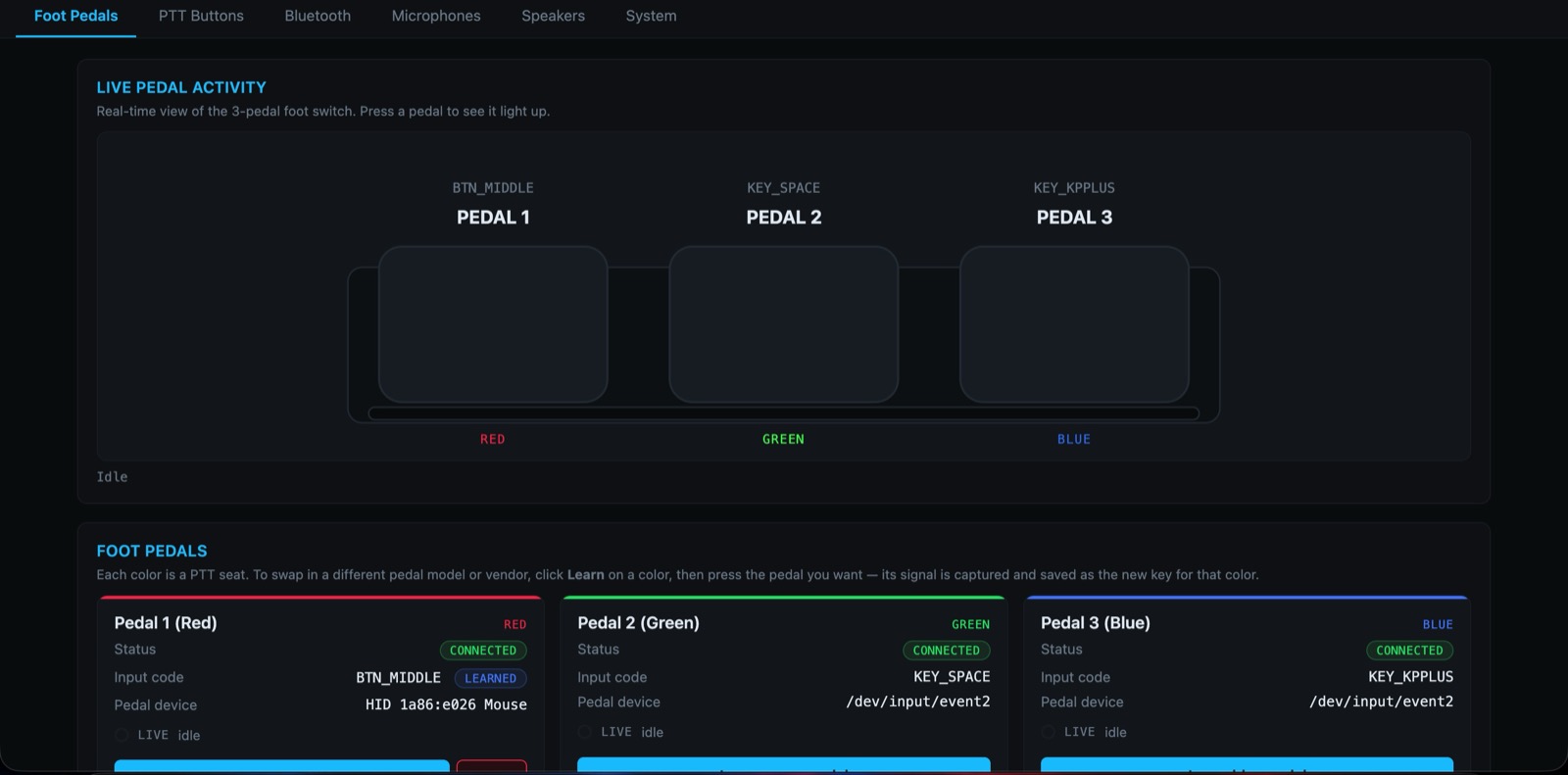
It also turns ordinary hardware into a dispatch position. A plain USB foot switch — the inexpensive kind — becomes a proper PTT pedal: press Learn on a colour, tap the pedal, and its signal is captured as that seat's key. Three seats, three pedals, so you can key up to three channels by foot without a click on the screen, and without paying for dispatch‑grade pedal hardware.
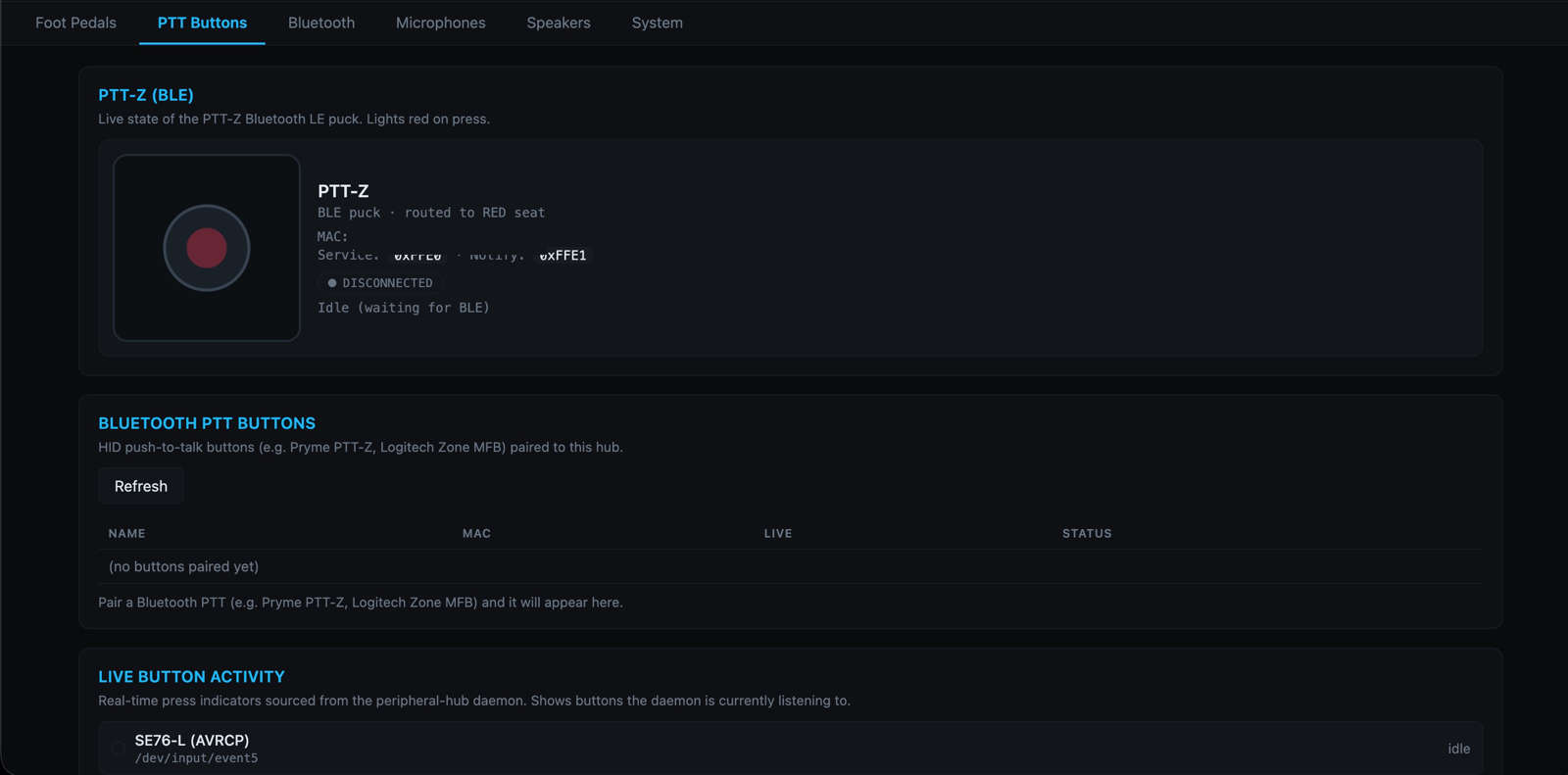
And it lets you leave the desk. Pair a Bluetooth push‑to‑talk button and you can stay in the conversation and key the channel or talkgroup from across the room, away from the console screen. Bluetooth headphones and headsets pair to the position the same way.
| What a working installation looks like | |
|---|---|
| Gateway sites | Several, in different towns, each with one or more radios |
| Channels on screen | Dozens — talkgroups, reflectors, nodes and gateway radios together |
| DMR networks | More than one at a time, side by side |
| Operator positions | More than one, each in a browser, aware of each other |